Narrate the Slides
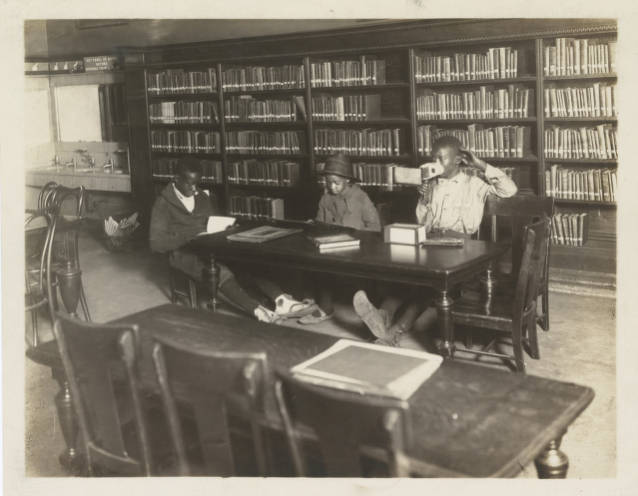
Children viewing stereopticon slides in the Children’s Room of the Old Main Library, Cincinnati, 1923. Cincinnati Public Library.
Children viewing stereopticon slides in the Children’s Room of the Old Main Library, Cincinnati, 1923. Cincinnati Public Library.
A slide deck with no words is an argument waiting to be made. In a course on diet and health, I gave students a deck of historical images with no captions and no narration. They asked AI to write one sentence per slide, captioning each image and linking it to the next. Out came a neat little story. Then students went back through the slides to find everything that story had skipped.
Part of a course
One of several AI-first assignments in a remote, asynchronous course. Start With the AI Answer explains how they fit together, alongside the assignments that ask for no AI.
Build the deck. Ten to twenty images that relate to the course so far, in a rough order, with no text of your own. Busy images work best (dense advertisements, crowded illustrations, charts, posters with small print), because they give the narrative more to skip.
Students generate the narration. They give AI the slides and ask for one caption per slide, each connecting to the next, so they end up with something like a bulleted story.
Then they look for themselves. With the AI captions in hand, students go back through the slides hunting for what’s there, in the image or the text, that connects to the course and never made it into the narration.
The post has three parts: a brief comment on what was interesting in the AI output overall; two or three slides examined in depth, with the historical perspective the AI narrative left out, flattened, or got wrong; and a brief comparison with one classmate’s post. Students don’t post the AI captions themselves; those are raw material for the analysis.
prompt to give students
Here is a slide deck of historical images: [attach or upload the slides]. Write one sentence for each slide that captions it and connects it to the next slide, so the result reads as a single narrative. Give me a bulleted list, one sentence per slide.
One sentence per slide forces AI to decide what each image is about, and it almost always picks the most obvious answer. The fine print on an advertisement, a figure in the background of a poster, the numbers on a chart, who is shown eating what: all of it falls out of a caption whose job is to reach the next slide. Students notice what the course trained them to see precisely because the AI didn’t.
It’s also a compact demonstration of how narrative gets imposed. AI will spin a coherent through-line out of any sequence of images, and it’s instructive to watch. Historians do the same when they turn sources into a story; the exercise shows what that costs.
And it’s a light lift on a day with no reading. Students still do real analysis, just on images instead of a text.
Grade the in-depth slides. The general comment and the classmate comparison are short by design.
Check that the AI can actually see the slides. Given a link it can’t open, a model may politely say so — or it may produce plausible captions for images it never saw. Uploading the images or a PDF export is more reliable than sharing a URL.
This sketch is licensed under Creative Commons BY-NC-SA 4.0. You're welcome to share and adapt it for noncommercial purposes, with credit, as long as you share your adaptation under the same license.
Image Children viewing stereopticon slides in the Children’s Room of the Old Main Library, Cincinnati, 1923. Cincinnati Public Library. The image's own license applies to it, separately from the sketch.
Suggested citation
Fred Gibbs. "Narrate the Slides." AI Sketchbook, Amaranth, University of New Mexico, September 25, 2026. https://amaranth.unm.edu/ai-sketchbook/teaching/narrate-the-slides.html. Licensed under CC BY-NC-SA 4.0.